 Sevlay
Free Web Design Client Questionnaire Template
Ask the right questions before you quote, design or build, with a note under each one that tells your client why it matters.
Free Word template · 25 questions · Ready to send to clients
Free to use with every client. Opens in Word, Google Docs and Pages, with space for your logo.
Use this template in Sevlay instead.
Send it as one link your client fills in. Free for 14 days, no credit card required.
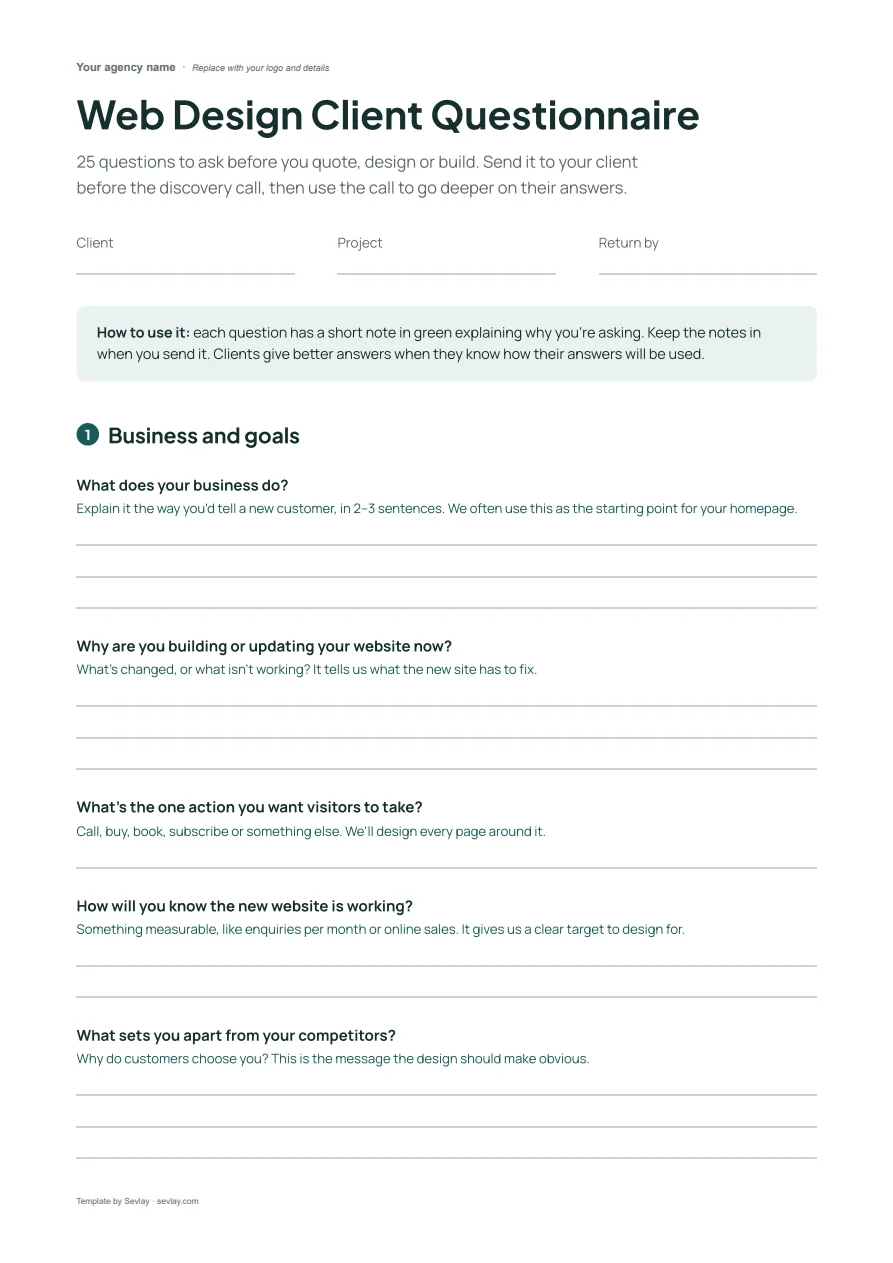
This web design questionnaire includes questions on:
- Business and goals
- Audience
- Pages and features
- Design direction
- Budget, timing and sign-off
Better answers before the discovery call.
Most discovery calls are spent on the basics: what the business does, which pages they need, who signs off. That leaves little time for the questions that shape the project.
This questionnaire covers the basics in writing first. Every question has a short note explaining why you're asking, so clients give specific answers instead of “we want it modern”.
Download it, add your logo and send it before your next discovery call.
The 25 questions in the web design questionnaire
25 questions to ask before you quote, design or build. Send it to your client before the discovery call, then use the call to go deeper on their answers.
Business and goals
What does your business do?
Explain it the way you'd tell a new customer, in 2–3 sentences. We often use this as the starting point for your homepage.
Why are you building or updating your website now?
What's changed, or what isn't working? It tells us what the new site has to fix.
What's the one action you want visitors to take?
Call, buy, book, subscribe or something else. We'll design every page around it.
How will you know the new website is working?
Something measurable, like enquiries per month or online sales. It gives us a clear target to design for.
What sets you apart from your competitors?
Why do customers choose you? This is the message the design should make obvious.
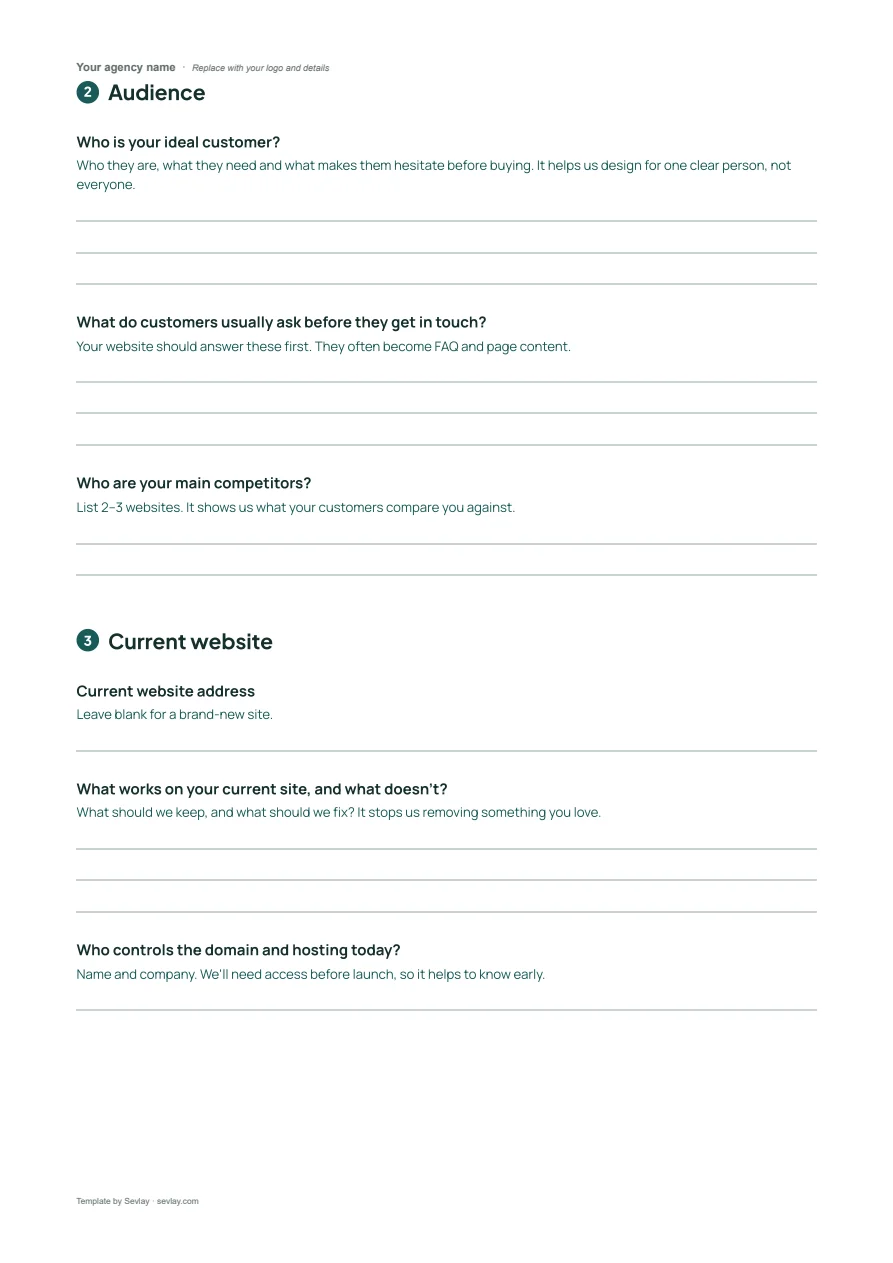
Audience
Who is your ideal customer?
Who they are, what they need and what makes them hesitate before buying. It helps us design for one clear person, not everyone.
What do customers usually ask before they get in touch?
Your website should answer these first. They often become FAQ and page content.
Who are your main competitors?
List 2–3 websites. It shows us what your customers compare you against.
Current website
Current website address
Leave blank for a brand-new site.
What works on your current site, and what doesn't?
What should we keep, and what should we fix? It stops us removing something you love.
Who controls the domain and hosting today?
Name and company. We'll need access before launch, so it helps to know early.
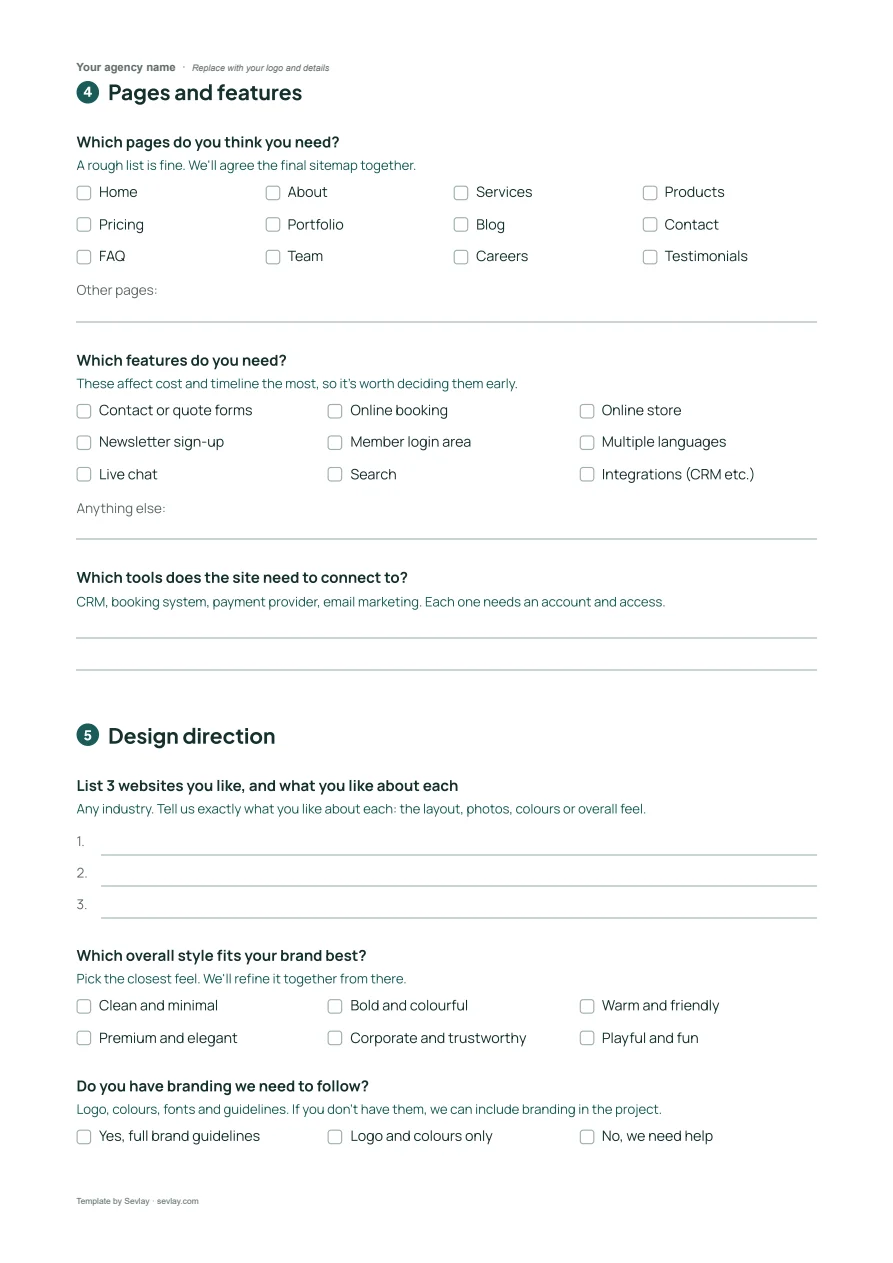
Pages and features
Which pages do you think you need?
A rough list is fine. We'll agree the final sitemap together.
Options: Home · About · Services · Products · Pricing · Portfolio · Blog · Contact · FAQ · Team · Careers · Testimonials
Which features do you need?
These affect cost and timeline the most, so it's worth deciding them early.
Options: Contact or quote forms · Online booking · Online store · Newsletter sign-up · Member login area · Multiple languages · Live chat · Search · Integrations (CRM etc.)
Which tools does the site need to connect to?
CRM, booking system, payment provider, email marketing. Each one needs an account and access.
Design direction
List 3 websites you like, and what you like about each
Any industry. Tell us exactly what you like about each: the layout, photos, colours or overall feel.
Which overall style fits your brand best?
Pick the closest feel. We'll refine it together from there.
Options: Clean and minimal · Bold and colourful · Warm and friendly · Premium and elegant · Corporate and trustworthy · Playful and fun
Do you have branding we need to follow?
Logo, colours, fonts and guidelines. If you don't have them, we can include branding in the project.
Options: Yes, full brand guidelines · Logo and colours only · No, we need help
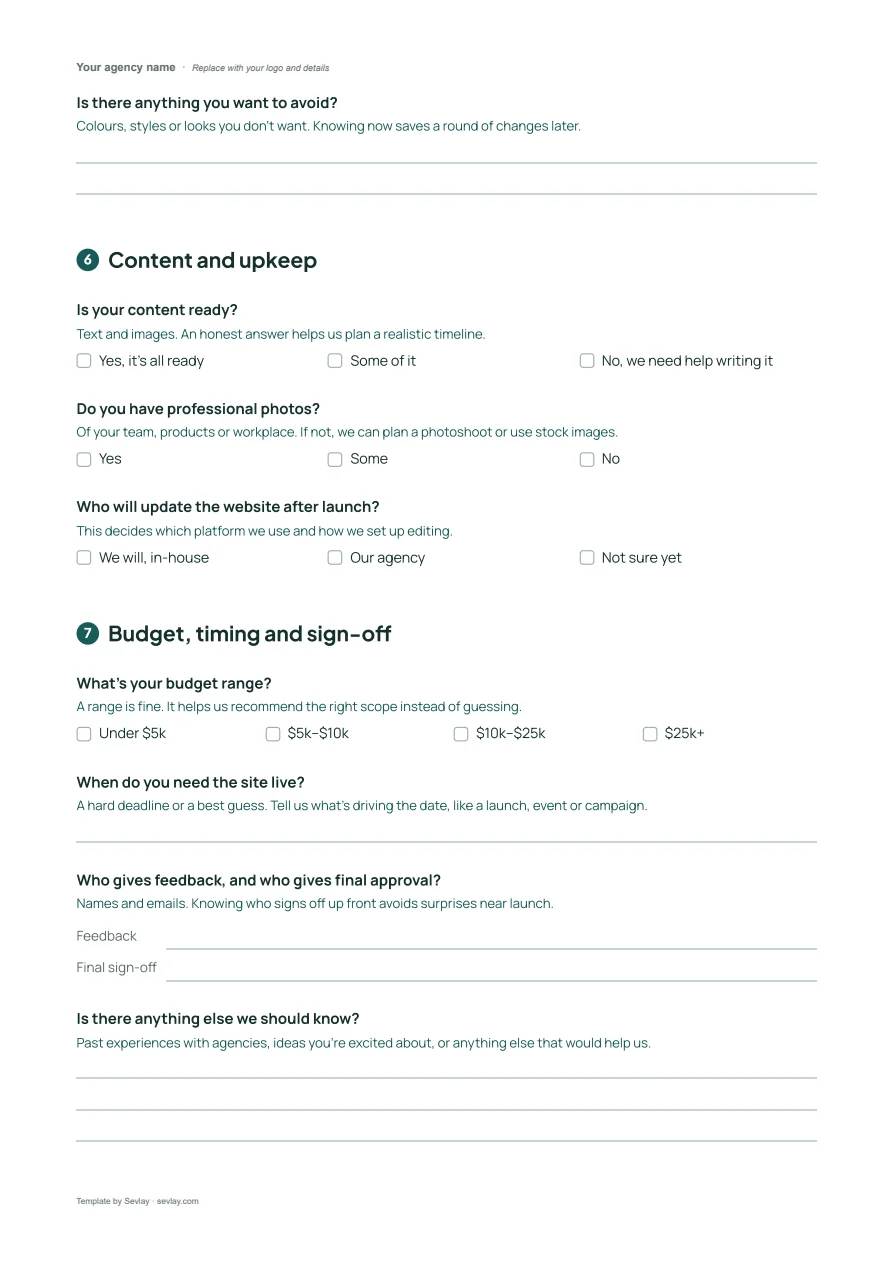
Is there anything you want to avoid?
Colours, styles or looks you don't want. Knowing now saves a round of changes later.
Content and upkeep
Is your content ready?
Text and images. An honest answer helps us plan a realistic timeline.
Options: Yes, it's all ready · Some of it · No, we need help writing it
Do you have professional photos?
Of your team, products or workplace. If not, we can plan a photoshoot or use stock images.
Options: Yes · Some · No
Who will update the website after launch?
This decides which platform we use and how we set up editing.
Options: We will, in-house · Our agency · Not sure yet
Budget, timing and sign-off
What's your budget range?
A range is fine. It helps us recommend the right scope instead of guessing.
Options: Under $5k · $5k–$10k · $10k–$25k · $25k+
When do you need the site live?
A hard deadline or a best guess. Tell us what's driving the date, like a launch, event or campaign.
Who gives feedback, and who gives final approval?
Names and emails. Knowing who signs off up front avoids surprises near launch.
Is there anything else we should know?
Past experiences with agencies, ideas you're excited about, or anything else that would help us.
Get it as an editable Word file, ready for your logo.
Frequently asked questions
What questions should I ask a web design client?
Start with what the business does and the one action visitors should take, then cover the audience, the current site, pages and features, design direction, content, budget, timing and who approves the work. The questionnaire has 25 questions across those seven areas.
Should I send the questionnaire before or after the discovery call?
Before. Clients answer the basics in writing, and you spend the call going deeper on their answers instead of collecting facts.
Should a web design questionnaire ask about budget?
Yes. A budget range lets you recommend the right scope instead of guessing. Offering ranges, like $5k–$10k, gets more honest answers than an open question.
Can I use this questionnaire inside Sevlay?
Yes. The same questions are a ready-made request template in Sevlay. Your client answers through one link, uploads files in the same place and gets automatic reminders.
Time to start every web project with the full picture.