 Sevlay
Free Website Launch Checklist Template
Check DNS, redirects, tracking and sign-off before a site goes live, with everything you need from your client clearly marked.
Free Word template · 8 sections · Client items marked
Free to use with every client. Opens in Word, Google Docs and Pages, with space for your logo.
Use this template in Sevlay instead.
Send it as one link your client fills in. Free for 14 days, no credit card required.
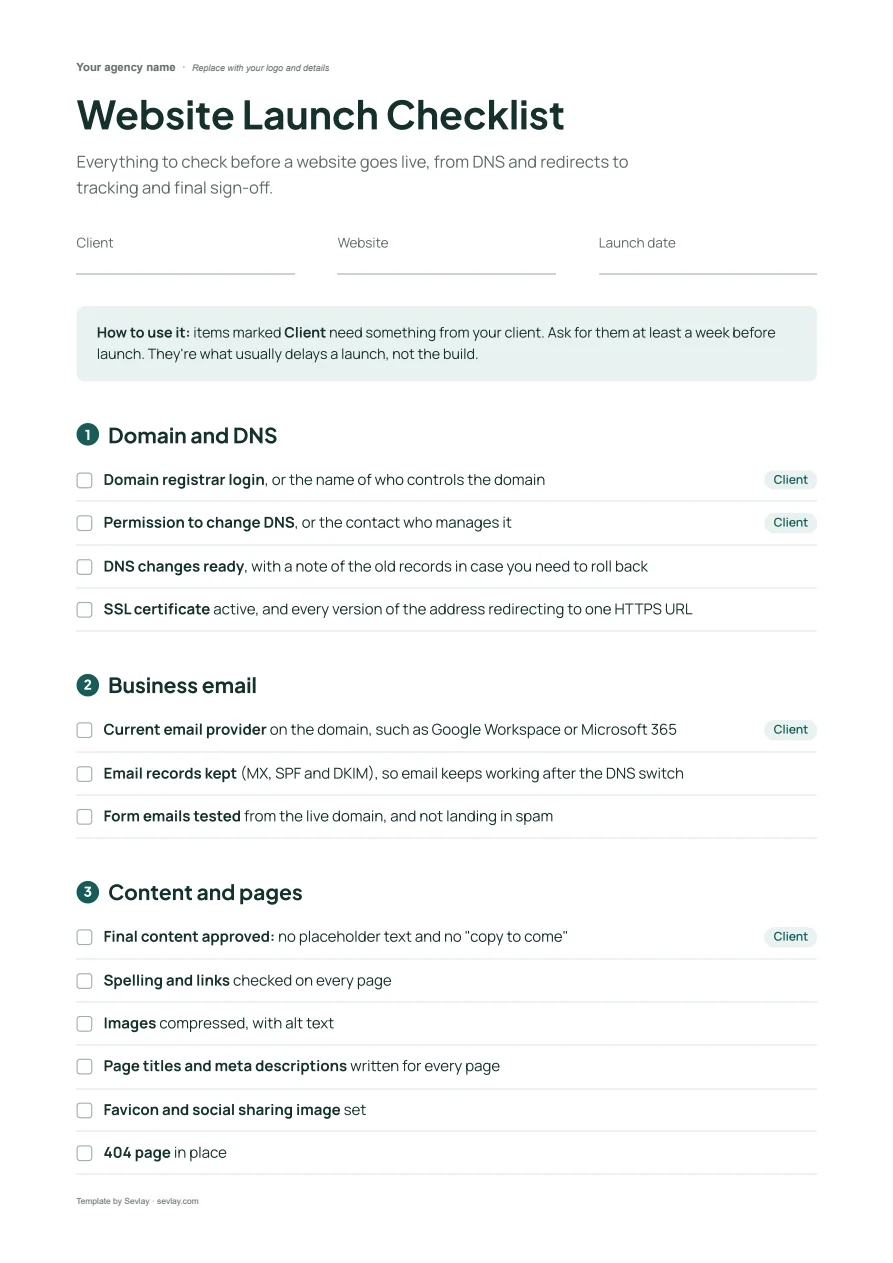
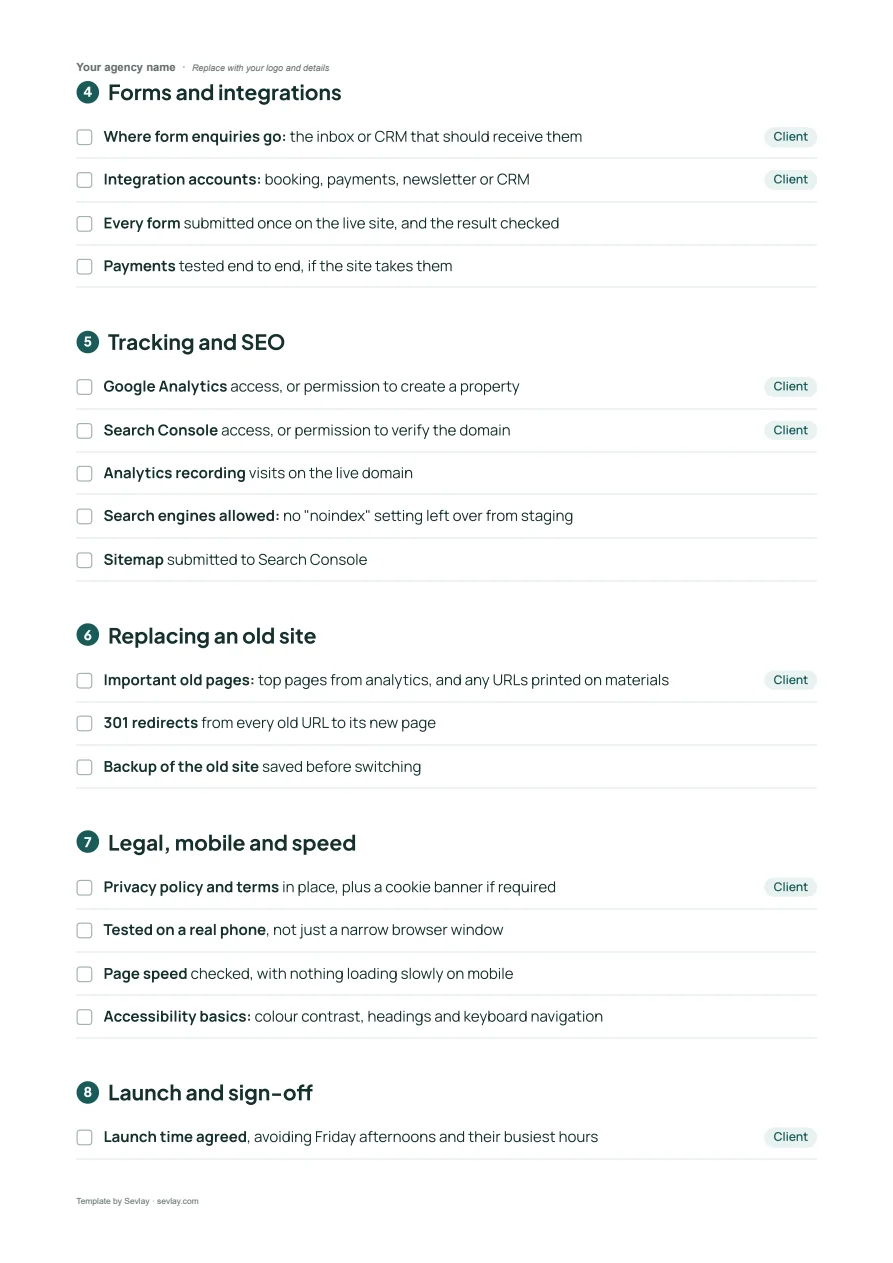
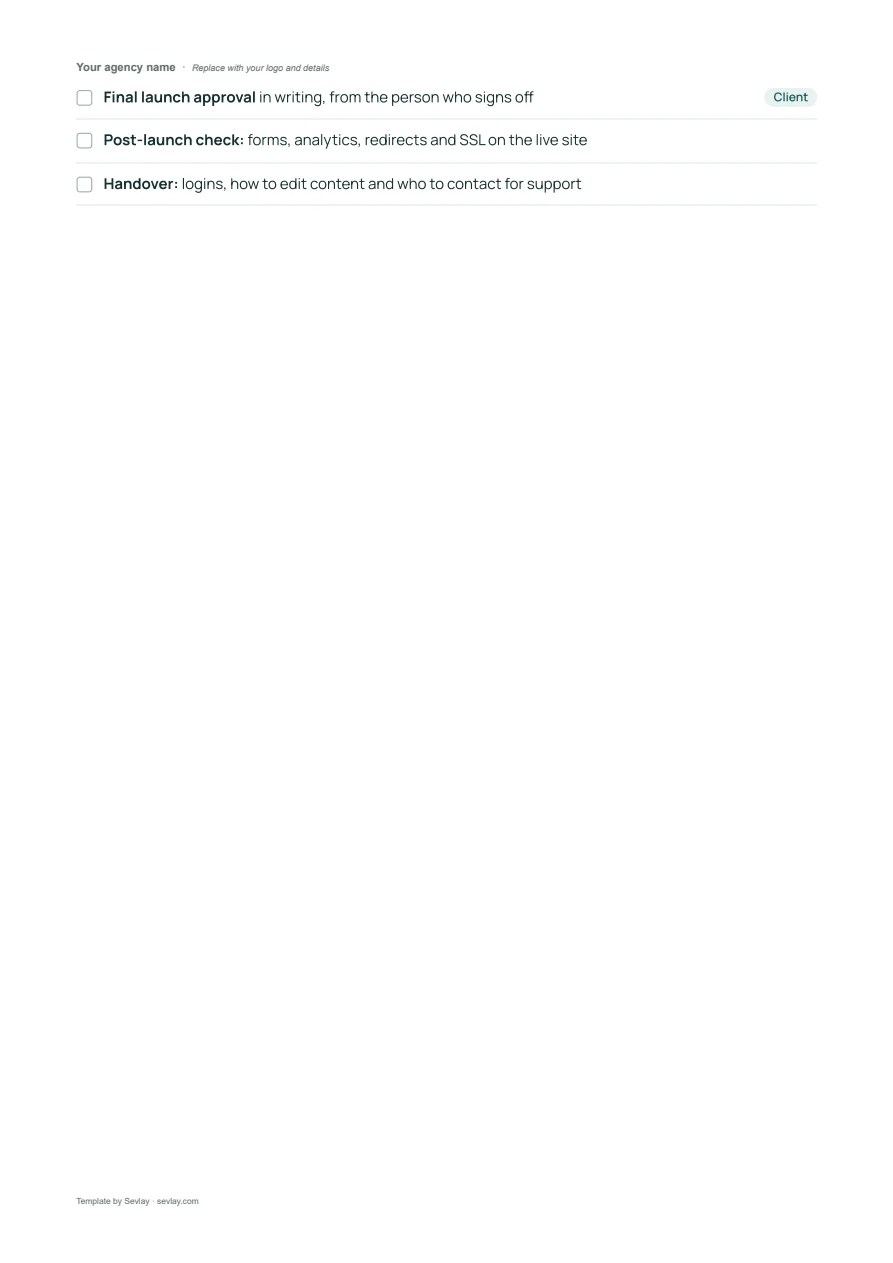
This website launch checklist includes sections for:
- Domain, DNS and email
- Content and pages
- Forms and integrations
- Tracking and SEO
- Launch and sign-off
Launches slip on logins, not code.
The site is built and tested. Then launch day moves because nobody can find the domain login, or the person who needs to approve it is on holiday.
This checklist covers every check before going live, and marks the items you need from your client so you can ask for them a week early.
Download it and run through it before your next launch.
What's on the website launch checklist
Everything to check before a website goes live, from DNS and redirects to tracking and final sign-off.
Domain and DNS
- Domain registrar login, or the name of who controls the domainClient
- Permission to change DNS, or the contact who manages itClient
- DNS changes ready, with a note of the old records in case you need to roll back
- SSL certificate active, and every version of the address redirecting to one HTTPS URL
Business email
- Current email provider on the domain, such as Google Workspace or Microsoft 365Client
- Email records kept (MX, SPF and DKIM), so email keeps working after the DNS switch
- Form emails tested from the live domain, and not landing in spam
Content and pages
- Final content approved: no placeholder text and no "copy to come"Client
- Spelling and links checked on every page
- Images compressed, with alt text
- Page titles and meta descriptions written for every page
- Favicon and social sharing image set
- 404 page in place
Forms and integrations
- Where form enquiries go: the inbox or CRM that should receive themClient
- Integration accounts: booking, payments, newsletter or CRMClient
- Every form submitted once on the live site, and the result checked
- Payments tested end to end, if the site takes them
Tracking and SEO
- Google Analytics access, or permission to create a propertyClient
- Search Console access, or permission to verify the domainClient
- Analytics recording visits on the live domain
- Search engines allowed: no "noindex" setting left over from staging
- Sitemap submitted to Search Console
Replacing an old site
- Important old pages: top pages from analytics, and any URLs printed on materialsClient
- 301 redirects from every old URL to its new page
- Backup of the old site saved before switching
Legal, mobile and speed
- Privacy policy and terms in place, plus a cookie banner if requiredClient
- Tested on a real phone, not just a narrow browser window
- Page speed checked, with nothing loading slowly on mobile
- Accessibility basics: colour contrast, headings and keyboard navigation
Launch and sign-off
- Launch time agreed, avoiding Friday afternoons and their busiest hoursClient
- Final launch approval in writing, from the person who signs offClient
- Post-launch check: forms, analytics, redirects and SSL on the live site
- Handover: logins, how to edit content and who to contact for support
Get it as an editable Word file, ready for your logo.
Frequently asked questions
What should I check before launching a website?
Domain and DNS access, SSL, business email records, final approved content, every form, analytics and Search Console, 301 redirects from the old site, mobile and speed, and written sign-off from the client.
How do I keep email working when a website moves?
Before changing DNS, note the current MX, SPF and DKIM records and keep them on the new setup. Then send a test from every form on the live domain to check nothing lands in spam.
How early should I ask the client for launch items?
At least a week before launch. Domain logins, DNS permission and final approval are what usually delay a launch, so the checklist marks every item that needs the client.
Can I use this checklist inside Sevlay?
Yes. Website launch is a ready-made request template in Sevlay. Your client sends domain details, access and final approval through one link, with automatic reminders.
Time to make launch day boring, in a good way.