 Sevlay
Free Website Content Checklist Template
Get every logo, page of copy, photo and login from your client before the build starts, in one simple checklist.
Free Word template · 5 sections · Ready to send to clients
Free to use with every client. Opens in Word, Google Docs and Pages, with space for your logo.
Use this template in Sevlay instead.
Send it as one link your client fills in. Free for 14 days, no credit card required.
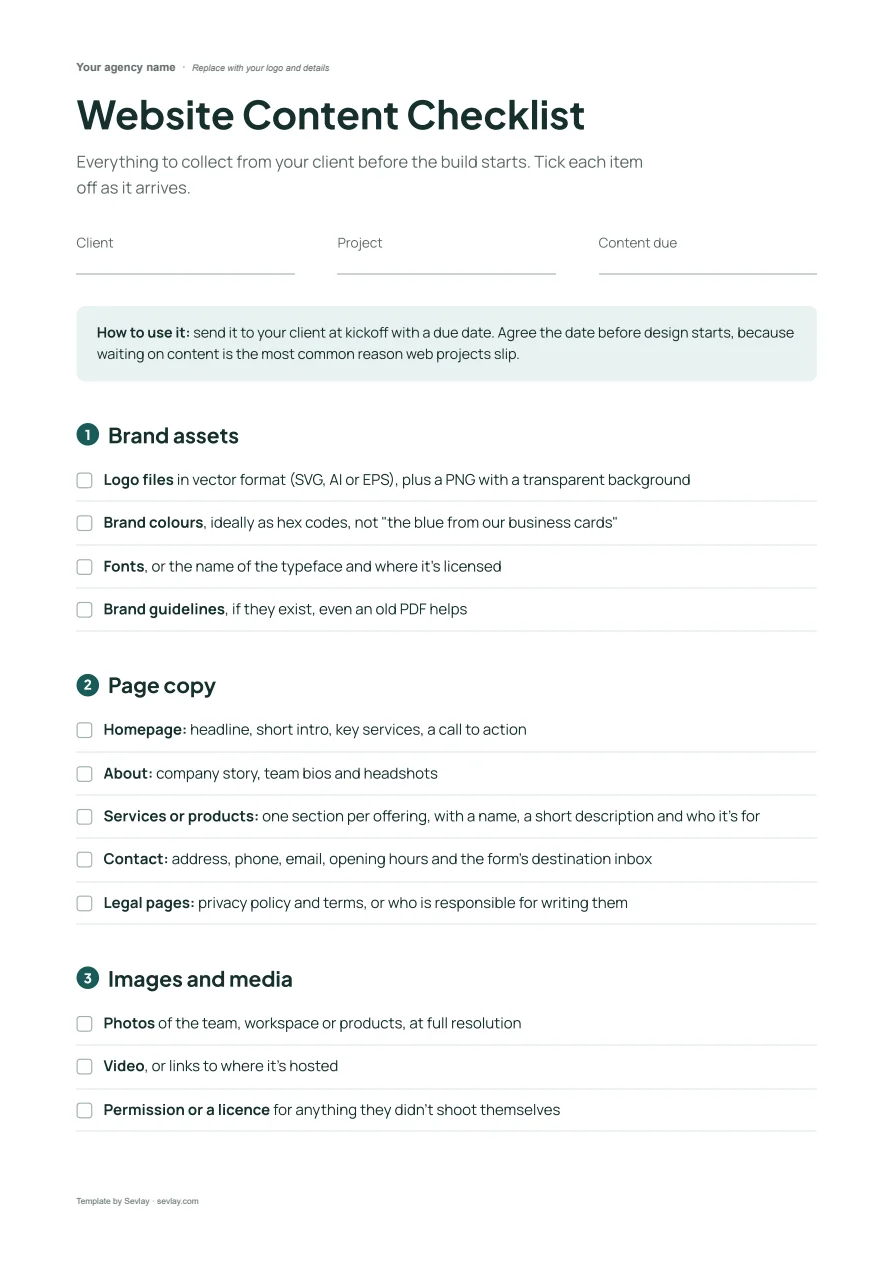
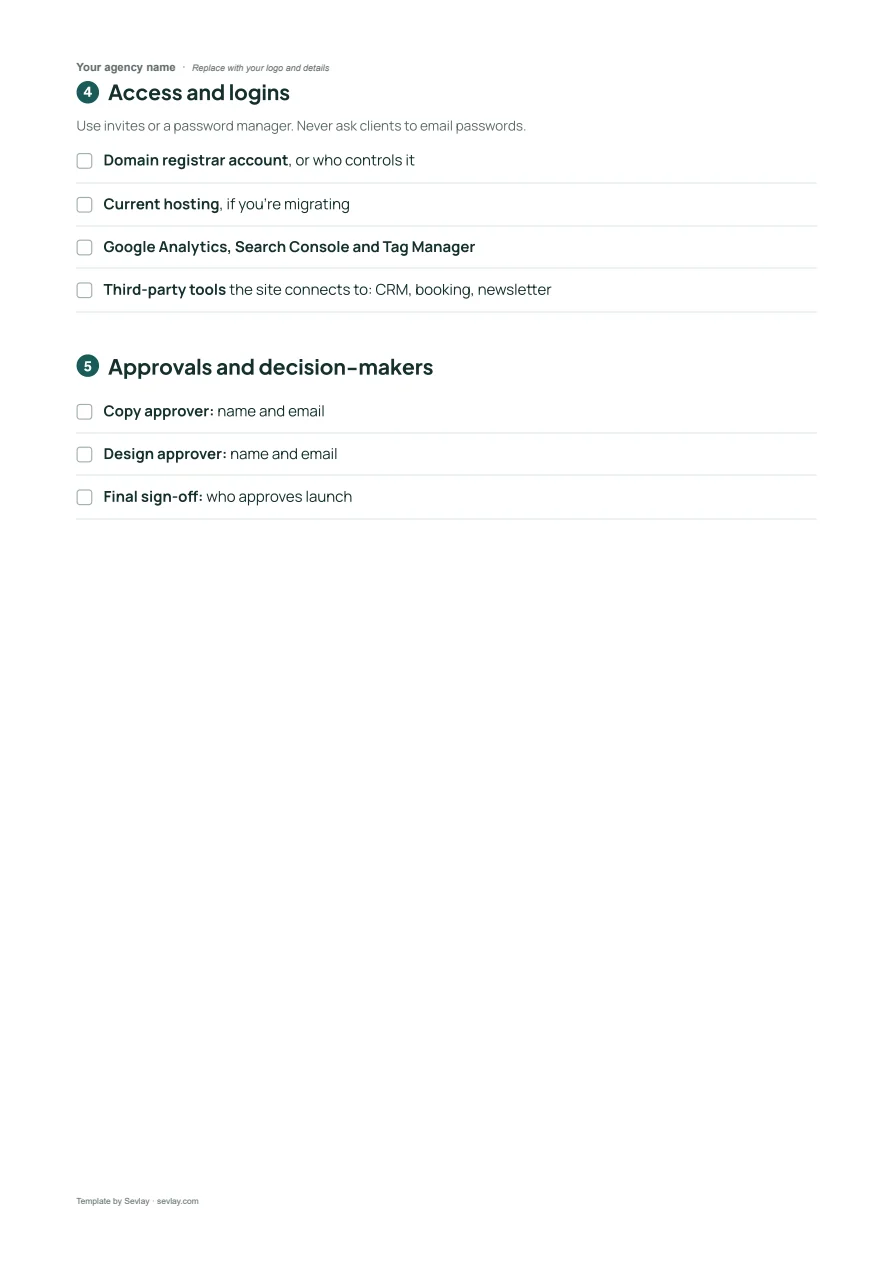
This website content checklist includes sections for:
- Brand assets
- Page copy
- Images and media
- Access and logins
- Approvals and decision-makers
Stop starting builds with half the content.
Most web projects don't slip because of design or development. They slip because the homepage copy is “almost ready” and nobody knows who has the domain login.
That's why we put together the checklist we'd send before every kickoff. It covers what to ask for, the formats to ask for it in, and who needs to sign off.
Download it now and send it to your next client before the project starts.
What's on the website content checklist
Everything to collect from your client before the build starts. Tick each item off as it arrives.
Brand assets
- Logo files in vector format (SVG, AI or EPS), plus a PNG with a transparent background
- Brand colours, ideally as hex codes, not "the blue from our business cards"
- Fonts, or the name of the typeface and where it's licensed
- Brand guidelines, if they exist, even an old PDF helps
Page copy
- Homepage: headline, short intro, key services, a call to action
- About: company story, team bios and headshots
- Services or products: one section per offering, with a name, a short description and who it's for
- Contact: address, phone, email, opening hours and the form's destination inbox
- Legal pages: privacy policy and terms, or who is responsible for writing them
Images and media
- Photos of the team, workspace or products, at full resolution
- Video, or links to where it's hosted
- Permission or a licence for anything they didn't shoot themselves
Access and logins
Use invites or a password manager. Never ask clients to email passwords.
- Domain registrar account, or who controls it
- Current hosting, if you're migrating
- Google Analytics, Search Console and Tag Manager
- Third-party tools the site connects to: CRM, booking, newsletter
Approvals and decision-makers
- Copy approver: name and email
- Design approver: name and email
- Final sign-off: who approves launch
Get it as an editable Word file, ready for your logo.
Frequently asked questions
What content do I need from a client to build a website?
Brand assets (logo files, colours, fonts), copy for every page, photos and video, access to the domain, hosting and analytics, and the names of the people who approve copy, design and launch. The checklist groups them in that order.
When should I send a website content checklist?
At kickoff, with a due date agreed before design starts. Content that arrives during the build is the most common reason web projects slip.
What format should clients send logo files in?
A vector file (SVG, AI or EPS) plus a PNG with a transparent background. Logos copied from a website or pasted into an email look blurry on high-resolution screens.
Can I use this checklist inside Sevlay?
Yes. The same checklist is a ready-made request template in Sevlay. Your client fills it in through one link and uploads files directly, so you don't have to chase replies over email.
Time to get your client's content in before kickoff.